
Law Solver: From a Law School Study Tool to an Online Learning Platform
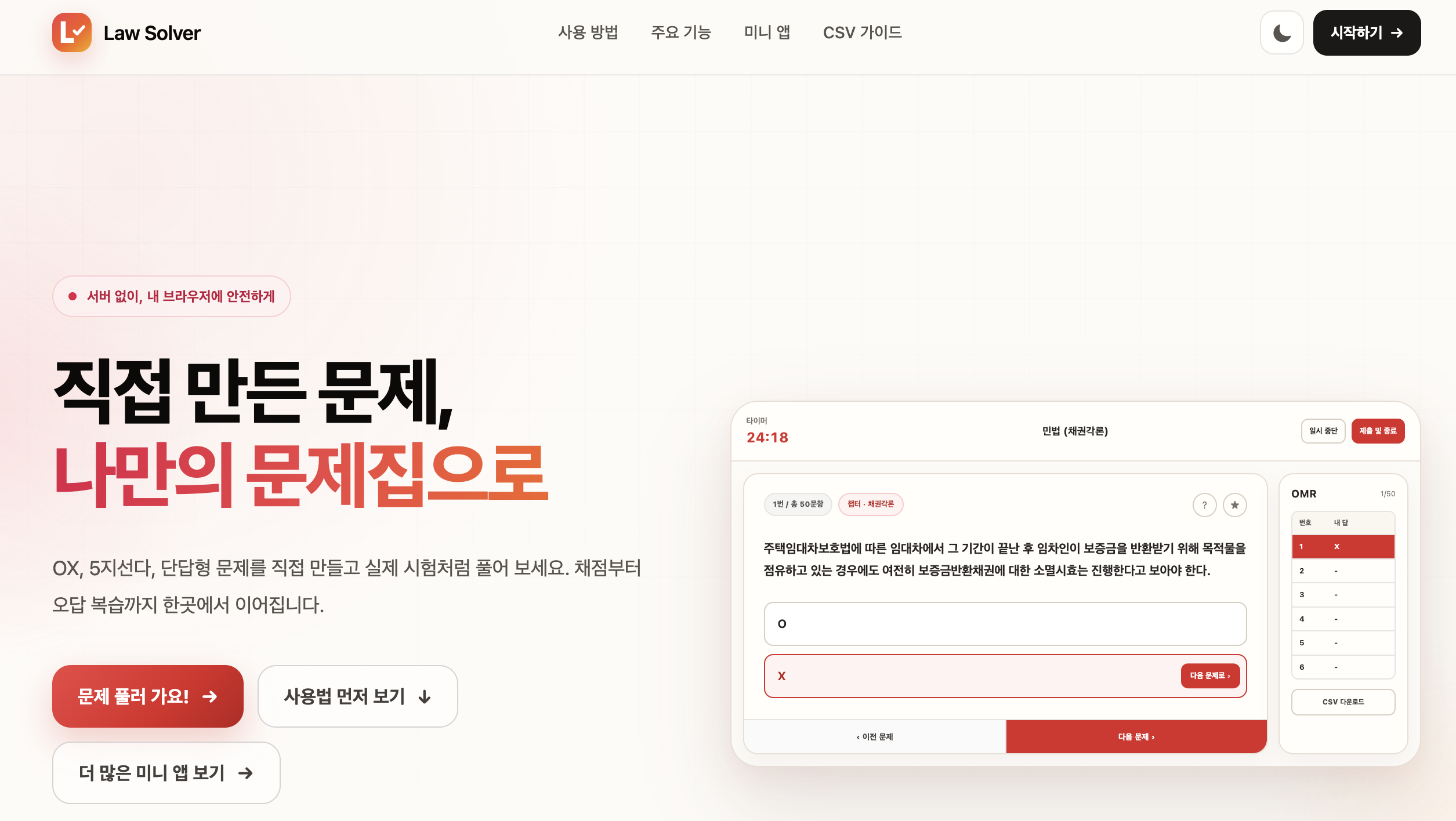
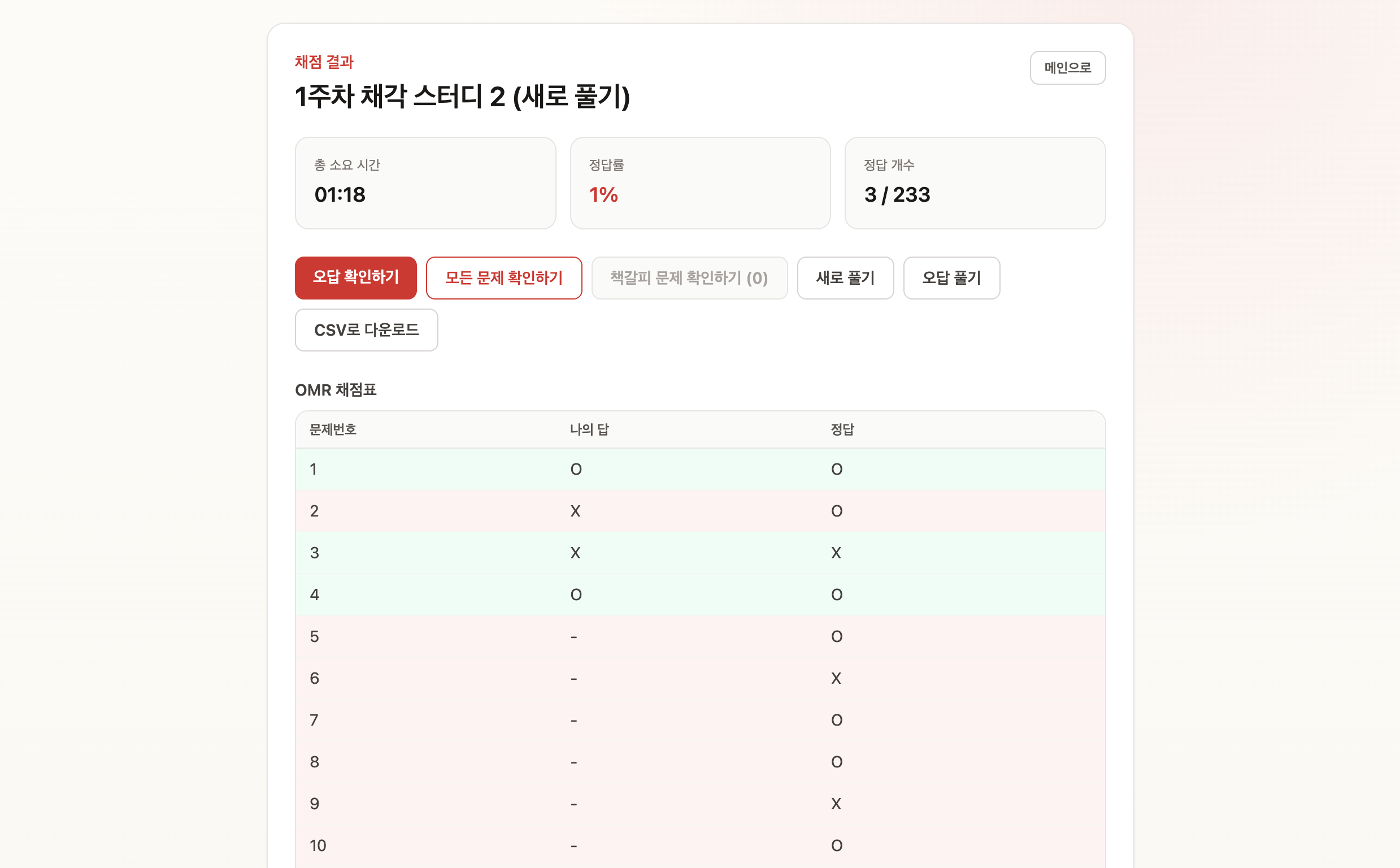
Law Solver is a learning service that turns questions written by users into a browser-based CBT experience through a CSV import. It supports true-or-false, five-option multiple-choice, and short-answer questions, with results and explanations available as soon as an answer sheet is submitted. Users can also retry only the questions they missed and leave notes for later review.
I did not set out to build a service for a large audience. Law Solver began as a small tool for a recurring inconvenience in my law school study group. As my friends and I used it in our actual coursework, new features grew out of what we needed. I later added Premium for reviewed online question sets and a collection of small apps for law school life. I handled the entire project, from product planning and frontend and backend development to testing and deployment.
The first version, built after a study session
During my first semester of law school, I joined a study group in which we wrote true-or-false questions for one another. We collected them in Google Sheets, but solving them was awkward. We had to read each cell from the screen, write our answers on paper, and then compare them with answer keys prepared by each person. Writing the questions was useful. Solving and grading them took far more time than it should have.
After one of those sessions, I went home and opened Codex. I asked it to build a website that would read a CSV file, present one question at a time, and grade the complete answer sheet. About three hours later, the first usable version was ready. At our next meeting, we answered the questions on our laptops and saw the results as soon as we clicked Submit.
Once my friends began using it, the missing pieces became obvious. We wanted five-option multiple-choice and short-answer questions in addition to true-or-false. We needed a way to mark questions we were unsure about, retry only incorrect answers, and record why we had made a mistake. Feedback from real study sessions gradually led to subjects and question sets, hints, bookmarks, incorrect-answer notes, and retry modes.
An offline learning tool with no signup
Nothing in the first version truly required a server. A user only needed to open a CSV file, solve the questions, and keep the result. There was no reason to require an account or upload a personal question file. I therefore built the core of Law Solver as a static web app and kept questions, answers, and study history inside the user’s browser.
CSV import sounded simple until I began seeing files from different people. Some were UTF-8 and others CP949. Some did not specify a question type at all. Choices and explanations sometimes contained line breaks or simple formatting. I built a parser that detects encoding and question type, then normalizes true-or-false, five-option multiple-choice, and short-answer entries into one question model. When a file is invalid, the error message identifies the row that needs attention.
Questions and explanations can contain basic formatting such as bold text, underlines, and boxes. The app does not, however, execute HTML directly from a CSV file. It parses a limited set of allowed tags and removes scripts, event handlers, and inline styles. Even if a file contains executable code, that code cannot run in the browser.
Adding Premium without changing a familiar workflow
In July 2026, I began developing Premium to offer legal ethics questions online. Unlike a personal CSV opened in the browser, Premium had to authenticate the user, verify course access, and serve questions from the backend. Answers and progress also needed to remain available across devices. This was no longer a feature that could be completed by adding a few screens.
I kept the Premium backend in a separate private repository from the public frontend. Supabase Auth handles authentication, while Postgres and Edge Functions manage course access, attempts, and submitted results. Row Level Security starts by denying access and grants only the permissions a user needs to read or update their own data.
Answers and explanations are not sent to the browser in full when an attempt begins. During an attempt, the client receives only what it needs to present the questions. An explanation becomes available when the user requests a hint or submits the answer sheet. Grading uses the questions stored on the server instead of accepting a result from the browser. Hiding a menu in the interface is not access control, so every relevant request is checked again on the server.
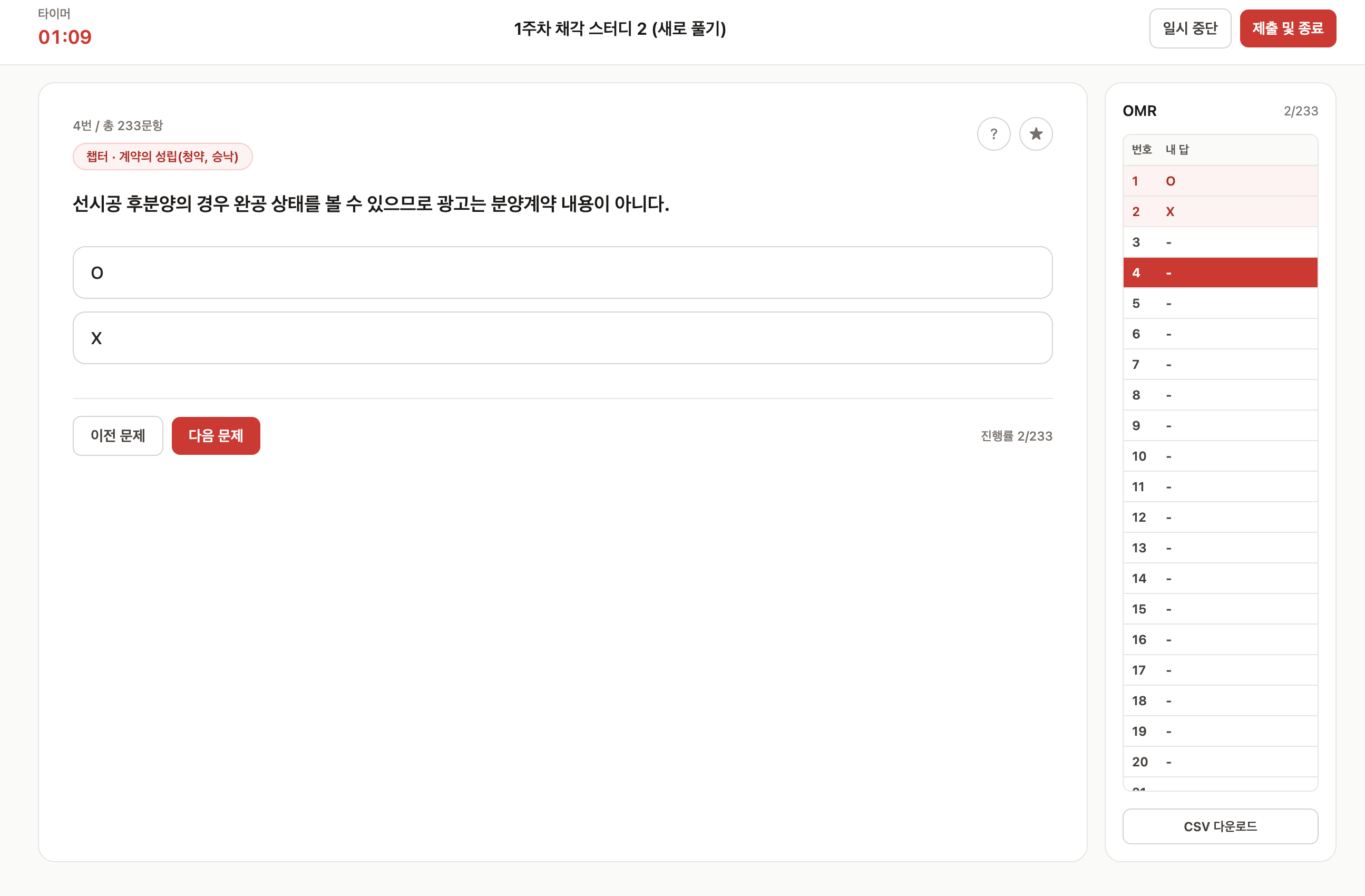
From the user’s perspective, however, an offline question and a Premium question should not feel different to solve. I initially built separate online solve and result screens. Their button positions and navigation soon began to diverge, and every change had to be applied twice. I eventually moved solving, results, full review, and incorrect-answer retry into shared components. Only the adapters that load and store data differ between offline and online use. The interface stays consistent while the storage and security models remain separate.
This work became v1.0.0, which introduced accounts, access passes, online attempts, and 600 legal ethics questions divided into 15 sets. Later releases improved recovery so a student could return after a long absence and continue the correct attempt.
Protecting data stored in the browser
An offline design makes Law Solver immediately usable without an account, but it also leaves data tied to one browser. Moving to another device or clearing browser data required users to download a backup file themselves. I addressed that limitation in v1.2.0 by adding cloud backup.
The browser compresses and encrypts a backup before sending it to the server. It derives a key from the user’s password with PBKDF2-SHA-256 and encrypts the data with AES-256-GCM. The password itself never leaves the browser. During restoration, Law Solver validates the complete decrypted backup before replacing any existing data, preventing a failed restore from leaving only part of a question library updated.
The localStorage used by early versions also became limiting as question libraries grew. On the current develop branch, questions and study history have moved to IndexedDB. The difficult part was not adopting a new storage API, but moving existing data without loss. I adjusted startup so the app could not save an empty state before loading the old one, and verified that backups created by earlier versions would still restore correctly.
I applied the same restraint to analytics. Law Solver records which features are used, but analytics events never include question content, answers, scores, filenames, or user identifiers. Only public landing pages and mini apps are indexed by search engines; account, purchase, and study screens are excluded.
How I built Law Solver with Codex
I have used Codex throughout the project, from the first prototype to the current version. At first, it mainly helped me implement screens and CSV import quickly. As the project grew, I also used it for architecture, testing, browser verification, and release work.
For larger features, I did not ask Codex to begin coding immediately. Before Premium, we first worked through where offline and online responsibilities should be divided, what a user should be able to see after access expired, and when answers and explanations could be returned. Once those decisions were made, Codex worked across the frontend and server repositories to implement database migrations, Edge Functions, React screens, and tests.
Rules that needed to survive beyond one conversation went into each repository’s AGENTS.md. Those files document that offline questions must not be sent to the server, how permissions and grading are enforced, which data may never enter analytics, and how secrets are handled. That reduced the need to restate the same assumptions every time a long task continued in a new session.
After implementation, I had Codex open the app in a browser and walk through signup, course registration, solving, pausing, submission, and incorrect-answer retry. For changes with migration risk, such as the move to IndexedDB, I assigned separate agents to review persistence, backup compatibility, and test coverage, then addressed their findings together. As of August 29, 2026, all 137 tests across 41 test files pass on develop.
I did not accept every proposal Codex produced. An early Premium implementation looked and behaved like a service separate from the offline experience, so I rewrote the requirements and changed the structure. The same process applied to details ranging from button placement to data retention. AI greatly shortened the time between an idea and something I could try, but I still had to decide what belonged in the product and when it was ready to ship.
Major releases
| Period | Release | Highlights |
|---|---|---|
| Mar. 2026 | First version | CSV import, question solving, and automatic grading |
| May 2026 | v0.1.1–v0.2.0 | Hints, bookmarks, incorrect-answer retry, dark mode, and font settings |
| Jul. 2026 | v0.3.0–v0.5.x | Subject and question-set management, redesigned dashboards and results, and GA4 analytics |
| Jul. 2026 | v0.6.0–v0.6.5 | Mini apps, LBTI, CSV auto-detection and formatting, and the Premium foundation |
| Jul. 2026 | v1.0.0 | Accounts, access passes, online learning, and 600 legal ethics questions |
| Aug. 2026 | v1.2.0 | Encrypted cloud backup and restore |
| Aug. 2026 | v1.3.3 | Course-registration mini app and mobile usability improvements |
| Aug. 2026 | In development | IndexedDB storage and migration of existing data |
Results and lessons
Law Solver began as a small tool to make one study session less cumbersome. Over roughly five months and more than twenty releases, it grew into a service that combines offline study with user-created questions, Premium access to reviewed content, and small apps for law school life.
I did not begin with a finished architecture. I used the product, listened to friends, and revisited storage and server design whenever the feature set outgrew the earlier structure. The process taught me that shipping a new feature quickly matters, but so does protecting the data and familiar workflows of people who already use the product.
The same was true of AI-assisted development. Codex shortened implementation and verification, but it did not choose the direction of the product for me. I still had to state the problem clearly, use what had been built, and correct what did not fit. AI made it possible to start Law Solver quickly. Keeping it useful over time taught me how to operate and improve a product with AI as part of the development process.
Links
Technologies: React, TypeScript, Vite, Zustand, IndexedDB, Supabase, Postgres, Edge Functions, Vitest, GitHub Actions